
Multi Calendar For Vacation Rentals
Manage your bookings, rates, and availability in one easy-to-see calendar. All the listings at a glance!
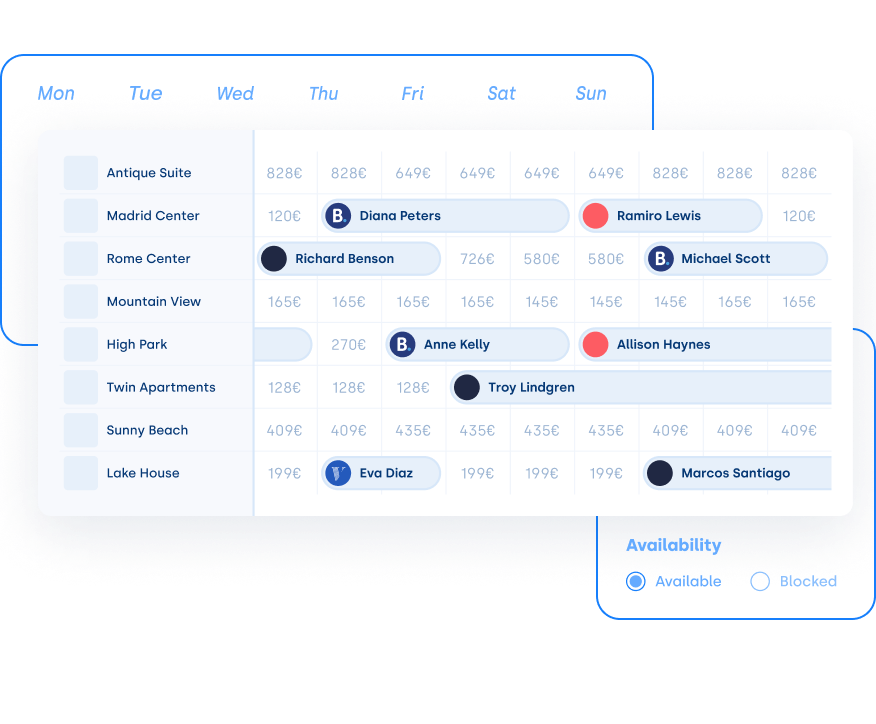
Manage your bookings
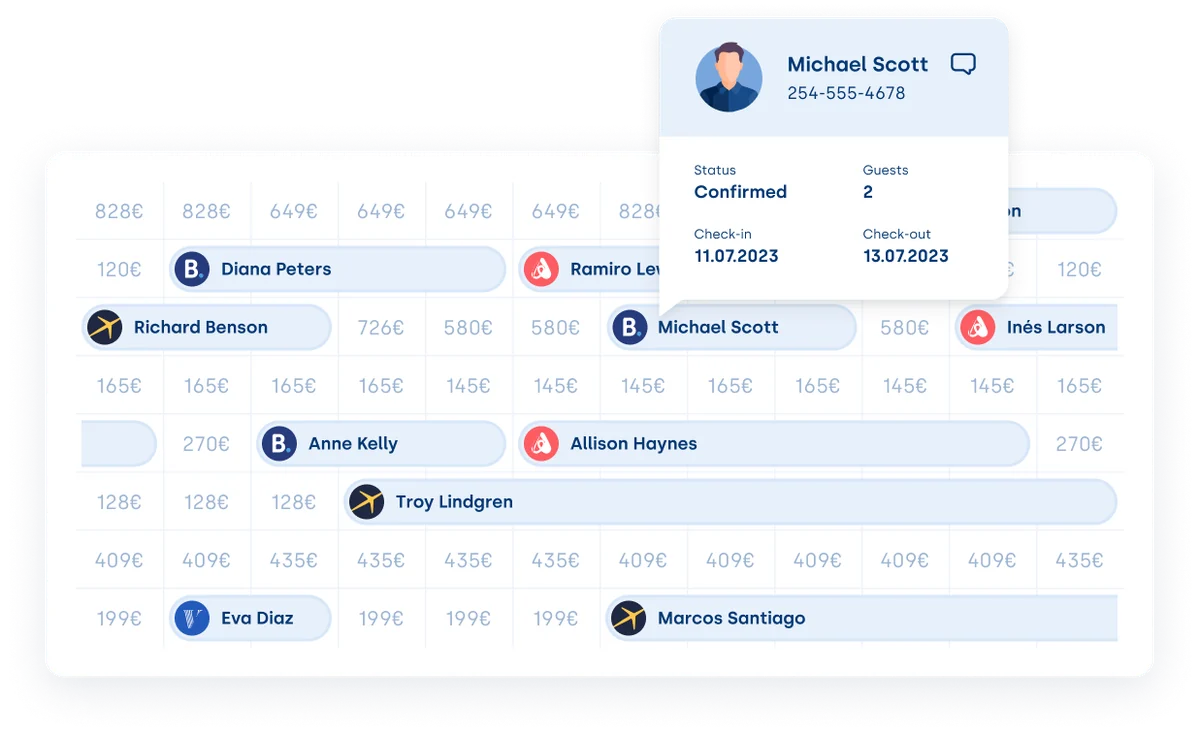
Create, edit and view bookings made on any channel. Change pricing and block out your availability. Organize rooms and reservations. Relocate guests and filter your properties. Get a quick preview of each booking, including guest details, payment status, and more, right from your Hostify dashboard.
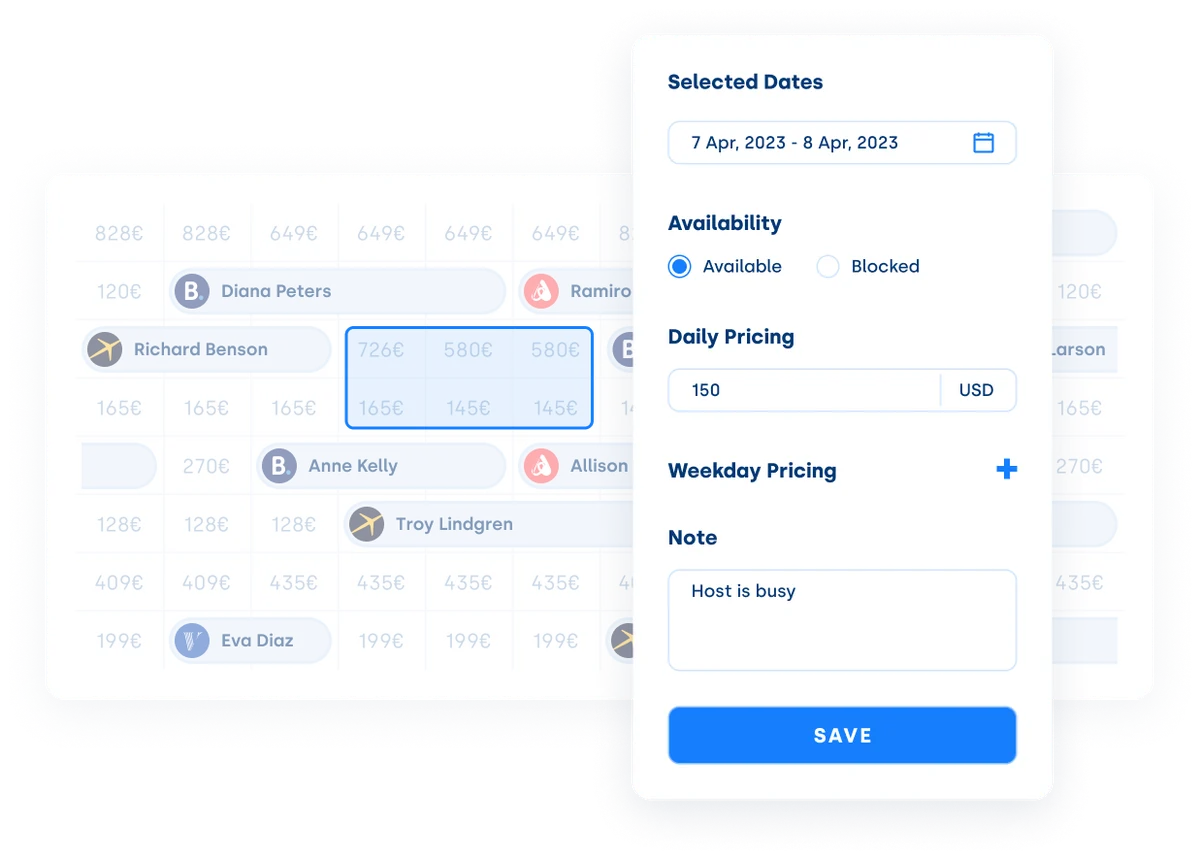
One click is all it takes
Have you made the changes you wanted? Great! One click is all it takes to spread those updates across all your channels and platforms. You can even use your Hostify calendar to bulk update multiple properties. Save time by creating and accessing predefined property lists, previewing bookings, and relocating guests with Drag&Drop.
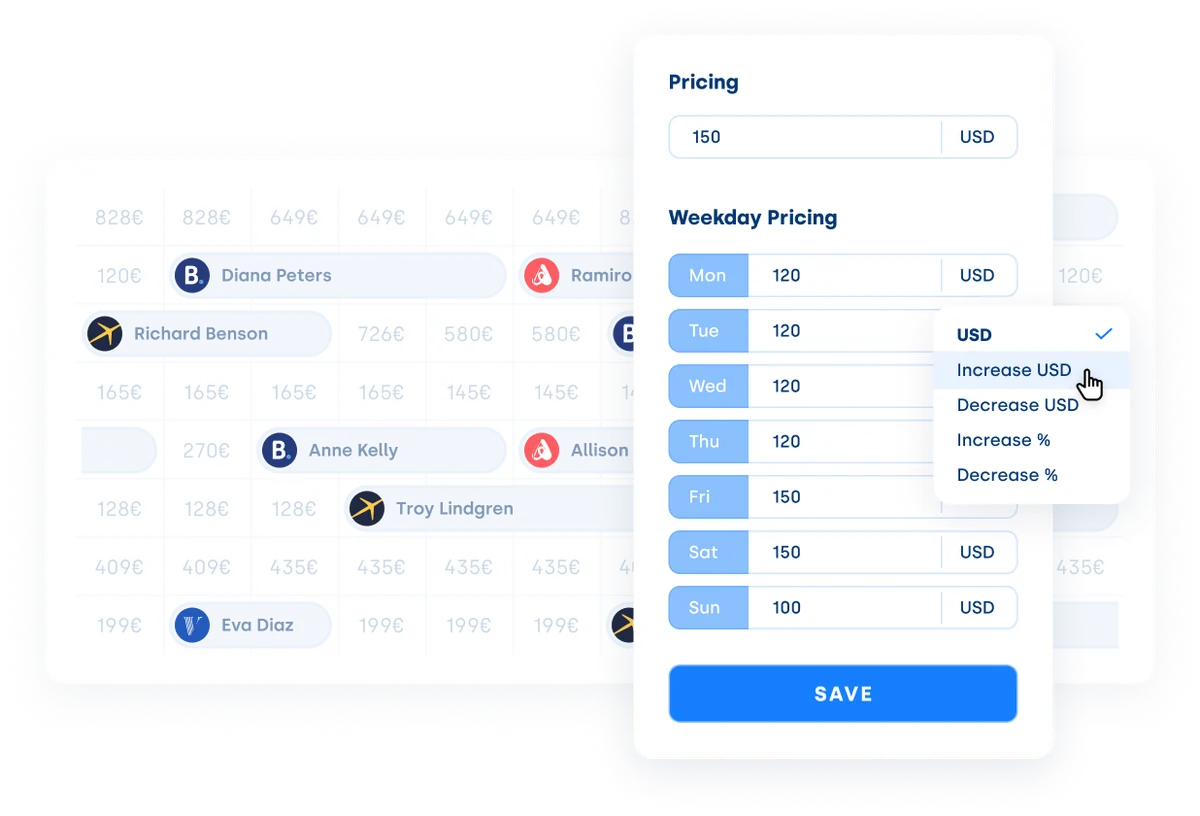
Make your own rules
Set pricing for weekdays and weekends to maximize your income. Choose relative pricing and change by percentage. Get an overview of the minimum stay for each date on the calendar and keep track of important details. Ensure your team is up to date with internal notes. They’re your properties. You make the rules.
FAQs
A Multi-Calendar is a centralized vacation rental management tool that allows property owners and managers to view, edit, and update bookings, rates, and availability across multiple listings and booking platforms in one place. Instead of switching between different OTAs like Airbnb, Booking.com, and Vrbo, a Multi-Calendar consolidates all reservations into a single, easy-to-navigate dashboard.
A centralized vacation rental calendar offers numerous advantages for short-term rental managers, including:
✅ Simplified Reservation Management – View all listings at a glance, manage bookings across multiple channels, and eliminate scheduling conflicts.
✅ Automated Synchronization – Ensure real-time updates across all connected platforms to prevent double bookings.
✅ Efficient Bulk Updates – Quickly adjust rates, availability, and restrictions for multiple properties with a single action.
✅ Optimized Revenue Management – Implement flexible pricing strategies based on seasonality, demand, and occupancy trends.
✅ Improved Team Collaboration – Use internal notes to keep staff informed about guest details, payment status, and special requests.
✅ Increased Productivity – Save time by automating manual processes, reducing errors, and streamlining daily operations.
With a Multi-Calendar, vacation rental hosts can maximize efficiency, improve guest experiences, and scale their business more effectively.
Optimizing pricing with a vacation rental calendar involves strategic adjustments based on demand, seasonality, and market trends. With Hostify’s Multi Calendar, you can:
- Set Different Rates for Weekdays and Weekends – Maximize revenue by charging higher prices during peak demand periods.
- Use Relative Pricing Adjustments – Increase or decrease rates by a percentage based on booking trends.
- Monitor Minimum Stay Requirements – Adjust minimum stays to optimize occupancy and revenue.
- Apply Bulk Pricing Updates – Save time by changing rates for multiple properties in one action.
- Track Market Trends – Stay competitive by adjusting rates based on local events and seasonal demand.
Take control of your vacation rental business today!
Book a demoSee Why Our Customers Love Hostify
 TuSereno, SpainJose Huescar, Co-founder
Since bringing Hostify on board, our efficiency and productivity have soared thanks to its advanced automation features. We've been able to customize and streamline our workflows like never before. Hostify's top-notch customer service quickly handles any issues, ensuring a seamless and positive user experience. In short, Hostify has been a game-changer for our growth and success, enhancing our customer interactions and making our daily operations a breeze.








Get started with Hostify
Please select the option, which best applies to you: